
Logo_Color

Countdown to 30th September 2026

Replace MS Project Online with a System Built for AI-Powered PPM

Plan, manage, and prove the value of your portfolios, programmes and projects without the complexity of legacy tools. Using the award-winning Verto Intelligence brings AI-powered insights, helping you forecast risks, optimise resources and make confident, evidence-based decisions. 

webinar-ms-project

Trusted by 100+ UK Public Sector Organisations


Central Government

Ministerial departments, non-ministerial departments & arm's length agencies working on portfolios of transformation.

Local Government

Councils and combined authorities managing complex programmes of change. 

NHS

Integrated Care Boards (ICBs) and NHS Trusts managing major strategic and operational changes across Britain.

Why teams are not opting for MS Planner to replace MS Project Online

No Cross Portfolio Visibility

In Project Online, a portfolio manager could open a single view and see every active project, its status, health, resourcing, dependencies. That portfolio-level lens is fundamental to how PMOs make prioritisation decisions, spot risks early, and report upward with confidence. 

MS Planner works at the plan level, but there is no native, meaningful portfolio view that gives you a real-time consolidated picture of your entire delivery landscape. At scale, this isn't a minor inconvenience, it's a governance gap.

No Resource Management Or Capacity Planning

Ask any PMO leader what their biggest operational headache is, and resource management will be near the top of the list. Who is doing what? Where are people overloaded? What does the pipeline look like against current resource commitments? 

Project Online had a proper resource management module. MS Planner has none - you can only assign tasks to people. There is no view of resource utilisation, no capacity modelling, no forward-looking demand vs supply analysis.

No Financial Management Or Cost Tracking

Project-level budgeting, cost tracking, and financial forecasting are core PPM capabilities. Most organisations running a project portfolio need to know how much money has been spent, how much is committed, and how that compares to the approved budget. 

MS Planner has no financial management features - you cannot track budget, actual spend, or forecast to completion. If cost management is part of your remit, you will need to solve this somewhere else. 

Microsoft Planner: a deep dive

A move to Planner requires careful consideration. Especially if you have been reliant on features that only feature in Project Online.
Blog

MS Planner is not an equivalent to MS Project Online

If you're currently running a PMO on Project Online, there are specific things your team does today that Planner simply cannot do.

Blog

Microsoft Project Online Is Retiring. Before You Default to Planner, Read This

Microsoft Project Online retires on 30 September 2026. But read this before you make your next move.

Blog

The 7 Things MS Planner Can't Do That Your PMO Depends On

Every PMO leader in the UK right now is being asked some version of the same question: what are we doing about the Microsoft Project Online retirement?

Blog

Portfolio, Programme or Project? Why the Difference Matters Before You Pick Your Next PPM Tool

The question that should be at the centre of every conversation on replacing Microsoft Project Online is what level of delivery are you actually managing?

On-Demand Webinar

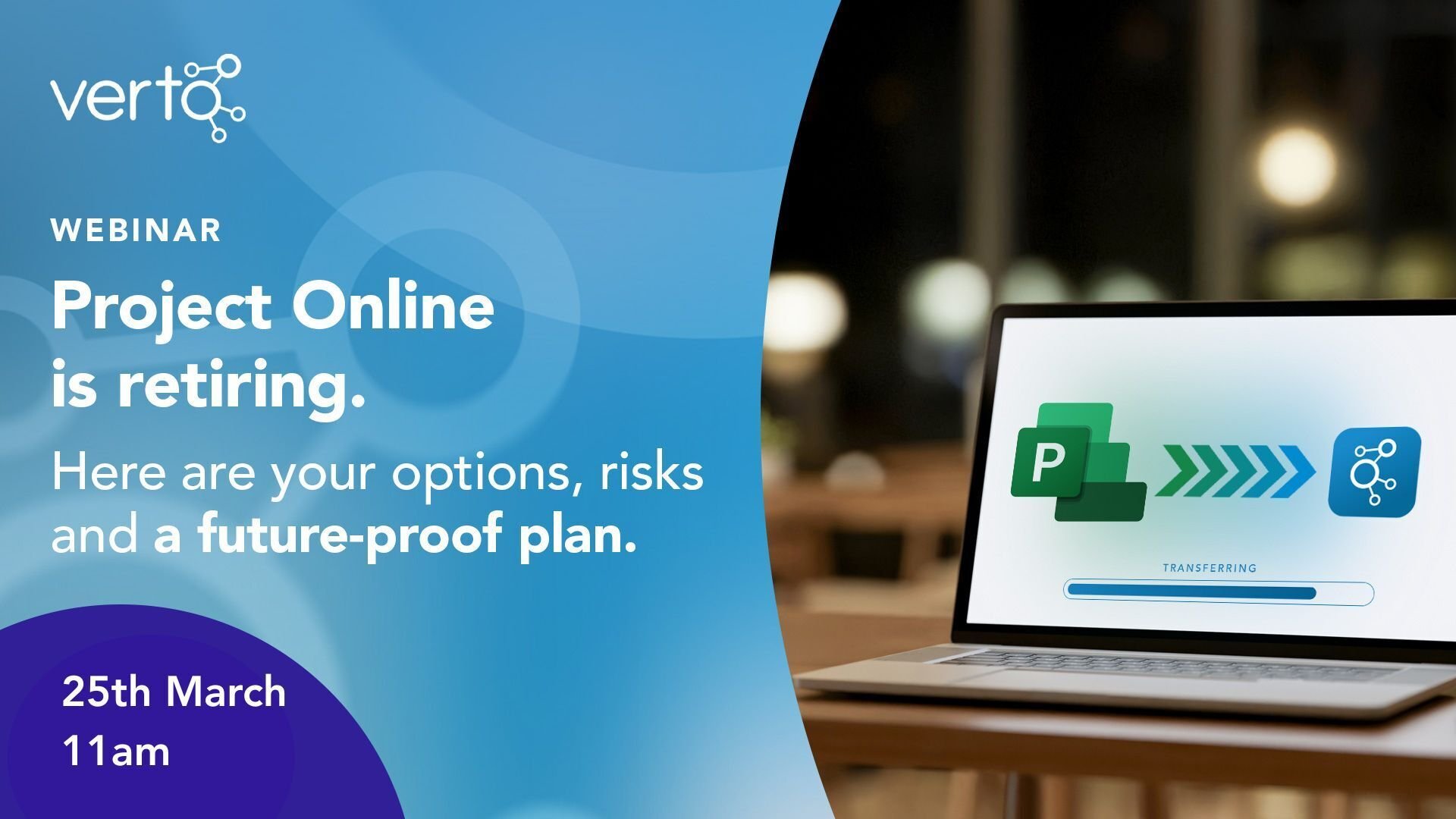
Future Proofing your PPM

Microsoft has confirmed that Project Online will be retired in September, and for many organisations, that raises immediate and important questions.

If you're actively reviewing options or just beginning to consider your next steps, this session will help you move forward with greater clarity and confidence.
March-Webinar-Banner

Readiness Checklist

How to avoid losing critical portfolio capability

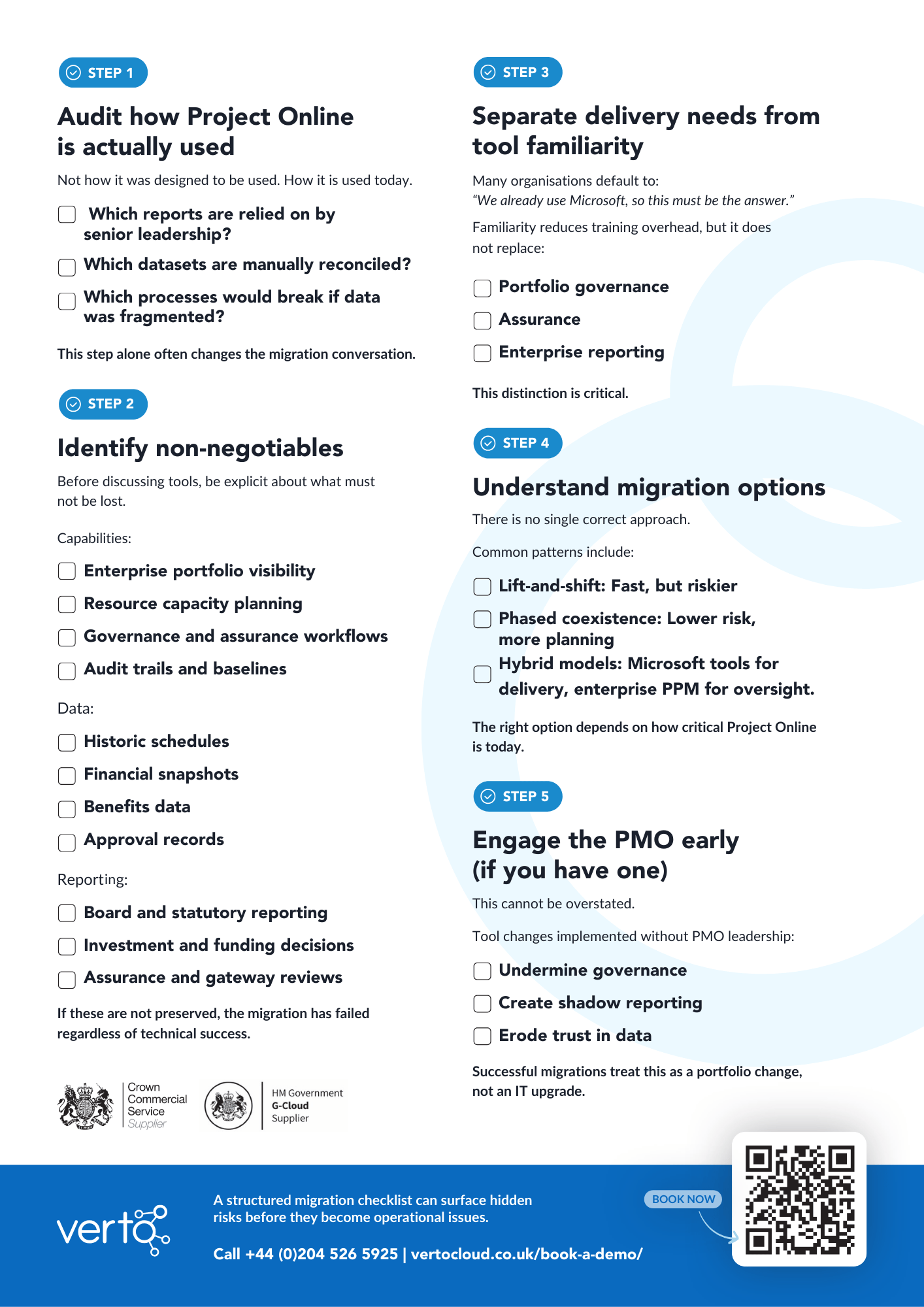
Before selecting a replacement for Microsoft Project Online, organisations need to understand how the platform is actually being used today and which capabilities cannot be lost during the transition.

Many migrations appear technically successful, with data moved and new tools deployed, but months later teams discover that key portfolio capabilities have been lost. Reporting becomes fragmented, governance processes need to be rebuilt manually, and leadership confidence in portfolio data begins to erode.

Our readiness checklist helps organisations avoid that outcome by providing a structured way to assess the risks before any migration decisions are made.

It guides teams through critical questions such as:

  • Which reports are relied on by senior leadership?
  • Which datasets underpin portfolio reporting?
  • Which governance or assurance processes depend on Project Online?

By working through these questions early, organisations can identify the capabilities that must be preserved and avoid the common pitfalls seen in many migrations — such as losing historic baselines, fragmenting portfolio data, or rebuilding governance processes manually.

Use the checklist to ensure your transition is treated as a portfolio change programme, not simply a technical platform replacement.

 

pg. 2 Verto MS Project Online Doc.pdf-1

ALL RESOURCES

What you’ll find in this resource hub

We’ve brought together a set of practical resources to support PMOs, transformation teams, and portfolio leaders evaluating their next steps.

Each resource focuses on a different stage of the evaluation process — from understanding what is changing, to assessing the risks of migration, and building a structured plan for the future.

Blog

Microsoft Project Online is ending: What UK PMOs need to do now

Microsoft has been clear about its direction - Project Online is being phased out. In this blog, we explain your options. 

News

Project Online vs Project for the Web: What UK Public Sector Organisations Lose (and Gain)

What you decide to implement within your organisation depends entirely on what role Project Online plays in your organisation today.

Checklist

How to avoid losing critical portfolio capability

Don't move platforms without having a thorough look into what you will need. 

This checklist is designed to help UK public sector organisations avoid a poor outcome.

Webinar

Project Online is retiring. Here are your options, risks & a future-proof plan

Microsoft has confirmed that Project Online will be retired in September, and for many organisations, that raises immediate and important questions.

Report

MS Project Online – Making the Replacement Decision

 In this guide we show where a platform like Verto can reduce migration risk by preserving portfolio and governance capabilities while still fitting into a Microsoft 365 operating model.

094a6f1d-65b5-4a0f-adc9-da6d5b14a613

Register

Secure your space

Attendance is limited to ensure high-quality discussion and interaction. Maximum three attendees per organisation, and each person must register individually.

Verto Newsletter

Insights That Move Public Services Forward

Discover tools, stories, and insights that help leaders deliver meaningful change across their organisations.